Audio is Amazing

This week was a very successful week for me because I had the opportunity to add audio to some transition clips I filmed. I thought this process was going to be extremely difficult because I had talked to a friend of mine who said he spent four hours trying to do this one time. I found this process to actually be fairly easy. I started by searching how to download music to my pc and I found a software that allows me to download YouTube videos and change them to mp4. This is very useful for me because I can edit the audio and make it fit the video that I’m recording.

Showing Me How to Add Audio to my Video

After downloading this software, I turned my focus to editing the audio when it’s in Premiere Pro. That’s where the video above comes from. I stumbled across this video when searching how to add sound clips to Premiere Pro and it had a nice tutorial on how to edit the sound to do things like fade in or out. This video was a lot of help to me because I needed to cut the audio down to a spot that I liked and this helped me do that. I also needed to mute the audios from the clips that I had filmed, which I had to figure out on my own. My solution was to drag the audio of the clips I wanted muted to a new audio line and mute the whole line. This worked well, but next time I’d like to mute the clips without moving the audio to a new line because I might want to add a few layers of audio onto a clip and I don’t want to run out of audio lines. This video was fun to film and I enjoyed learning a new trick in editing as well.

My Week 7 Vlog

Editing id Easy… Or Not?

This week I had a tough time with getting clips and editing because I have just been laid off from work and I’ve lost a lot of motivation to do anything. However, I did make a video, it wasn’t very long and it might not have been my best work, but I pushed one out. I didn’t want to lose any progress I’ve made, so I forced myself to learn even if this week I didn’t want to. This week I didn’t learn anything new about editing, but I got more comfortable and faster with the editing software that I’ve chosen to use.

I decided to put a sketch in this video because I wanted to have more fun filming the videos. I believe a major portion of editing is having fun clips that make you want to edit them and make the best video possible. Even though I struggle this week, I think I came out successful because I finished a vlog and posted it. Next week I will try to make a better video and push myself to use more than just 1 software to complete it. What I’ve learned this week is that I’m capable of editing fairly quickly and that I can do anything that I want to if I just set my mind to it.

Future Fears

The new normal is going to change schools forever. We are in a technological world and students are going to be forced to understand how to use this new technology in an educational manor. My future classroom will need to have new technology in it so I can teach students to the best of my ability. This is a scary thought to have because teachers are going to have to continually adapt to the new norms. I’m not even comfortable with all of

teen on phone - quite the norm!!
“teen on phone – quite the norm!!” by friggy_30 is licensed under CC BY 2.0

the technology that I use on a daily basis. We have to rethink the entirety of schooling because of this pandemic. The reason I say this is because technology will be a part of students lives forever and schools will need to change how they react to these technologies in order to succeed with them. The way we can balance our battle with technology and our love for it is by embracing all of the possibilities that it offers. We can do so much with students devices to help them understand topics in class and taking advantage of that is key. I will definitely have a tough time with this because I struggle using my phone in an educational way. I believe that’s the key to finding use from technology, ensuring students are on task. When we have students stay on task while using something like a laptop or phone, they will provide their best work. They have the world at their fingertips and we need to help teach them about the dangers and possibilities that this brings us. I believe that we can have success.

After Effects for

I decided to research After Effects as the platform to enhance my professional learning. I did the tutorials so I could see the basics about the app and I was surprised at what could be done. I learned how to have logos fly into frame and how to have words appear from thin air. This is beneficial to my learning project because I can use this tool to put subtitles on videos if I’m too quiet when I’m speaking or I can make commercials for assignments to grab students’ interest. I think class is more interesting when there are videos to introduce topics and show students that school can be fun. The use for this in schools is basically what I sated above. We can create videos to aid students in their lifelong learning journey.

Going Through the Tutorial of After Effects

The applications is very useful and has a lot of tools that I explored when looking into it. One thing that I found interesting was the blur feature. I love that videos can have a background blur when you’re creating them because it adds much more professionalism into the final project. Another feature of After Effects that I enjoyed was the mirror effect that videos can have. What this does is it takes one side of your video and mirrors it down the middle to the other side to create the illusion that only the left or the right side of the video is being filmed. I used both of these effects in the video above so if you wanted to see what it turns out like or want to get a better understanding of what I mean then you can watch it. I really enjoyed using this program and I will be putting more time into it as the semester progresses.

Twas Tweeting with Twitter

Twitter has always been a social media that I’ve never wanted to use and when I was told that I have to get it for this class I was a little skeptical. I’ve given it a chance before this class and I still was not a fan of the app because I didn’t understand what the app can do for us as professionals. The use that I had before understanding the app was that it’s just used for enjoyment purposes, but there’s so much more than can be done.

One use for Twitter is creating a professional learning network by interacting with people who share interests with you. The way we learned in class is through Saskedchat. This changed my entire perspective on Twitter because I saw the use for the app and I had a blast using it for that. I still am not a fan of Tweeting just to Tweet, but when there’s a use for Twitter like that, it makes the app much more enjoyable. After this class is over, I probably won’t ever use Twitter again, but I can see how professionals have found uses for it. The reason I probably won’t use it again is because I never post anything on any social medias because I don’t like my life being all over the internet. I believe to use Twitter, you have to be posting pretty frequently to maintain followers and I’m just not able to Tweet that often. I also don’t enjoy Tweeting for this class because posting anything is a huge stress for me and I don’t enjoy all of the added stress that this brings me. Regardless of my opinions on Twitter, I will still use it for the duration of this class and I can understand the importance that people find from it.

Premiere Pro Professional

This week I was determined to get a video completed and posted on YouTube! The video that I created isn’t one with crazy cool edits or anything, actually it’s pretty basic. The reason for this is because I’ve never had to make videos for any class and whenever I have, they either don’t have to be edited or someone in my group is more skilled at it so they do it. Going from having no skill tp pushing out videos is a real challenge for me, but I’m doing my best and I’m challenging myself to be better every week.

My First Vlog

For my learning project this week I learned a new video effect. One of my clips for my video came out as a portrait mode video for some reason and so I was tasked with figuring out how to rotate the clip to be in landscape mode like the rest of my clips. The way that I learned how to do it was from a YouTube video. The action is really easy and I’m starting to get used to the software that I’m using. I had some difficulties transferring some files from my phone to my desktop which was frustrating, but I figured it out and I got a video posted for everyone to see. Next week I’m going to focus on uploading a video and putting a thumbnail on it. I’ve come up with an end goal that I want to hit by the end of the semester, which is to create a short film and post it to YouTube with a thumbnail. I’m excited to keep learning about editing and to take the class on my journey.

Photoshop Finesser

As the title leads you to believe, I purchased the Adobe Creative Cloud, which includes programs such as Photoshop, Premiere Pro, and After Effects. The programs were cheap because I’m a student and a future educator meaning I got a really great discount for the bundle of programs. I decided to do this because I’ve always wanted to learn how to use photoshop. This will help me with my editing progress because I can spend time making a thumbnail for my videos if I ever decide to post them to YouTube.

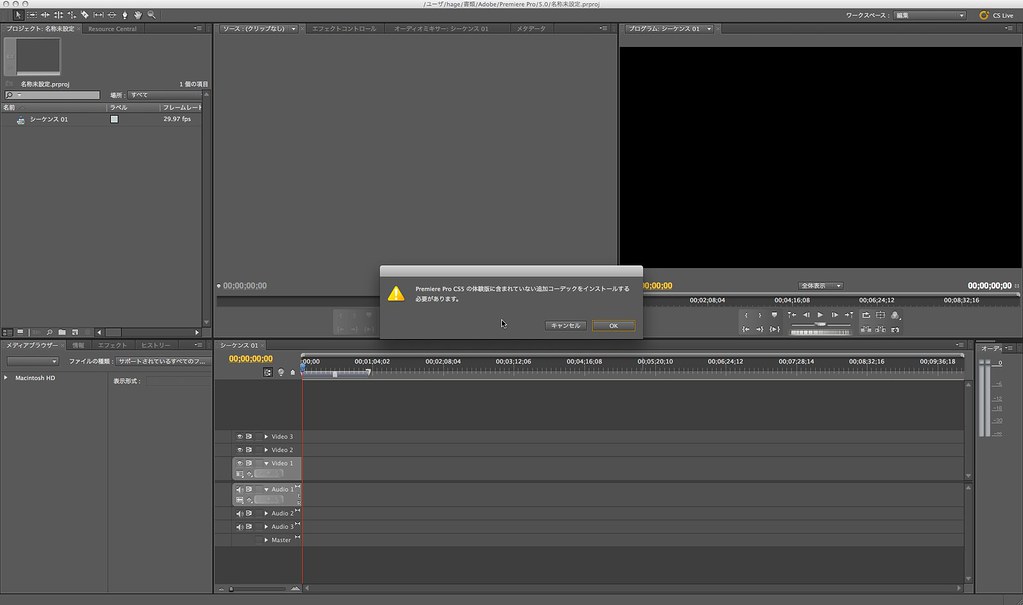
“Adobe Premiere Pro CS5100209_002” by Shingo Okamoto is licensed under CC BY-NC-ND 2.0

I was wanting to upload a video for this week, but the file wouldn’t upload, so I’m going to be posting one this week. That’s the reason this post is so late into the week. I’m going to make a vlog in a different software and hope that it uploads for this week. I’ll be using Adobe Premiere Pro this week to make a video. I won’t be using photoshop to create a thumbnail this week because I want to focus on getting my videos uploaded to YouTube before I can start doing the other tasks to make a video look better. I hope I can be more successful in my future weeks.

The DaVinci of Editing

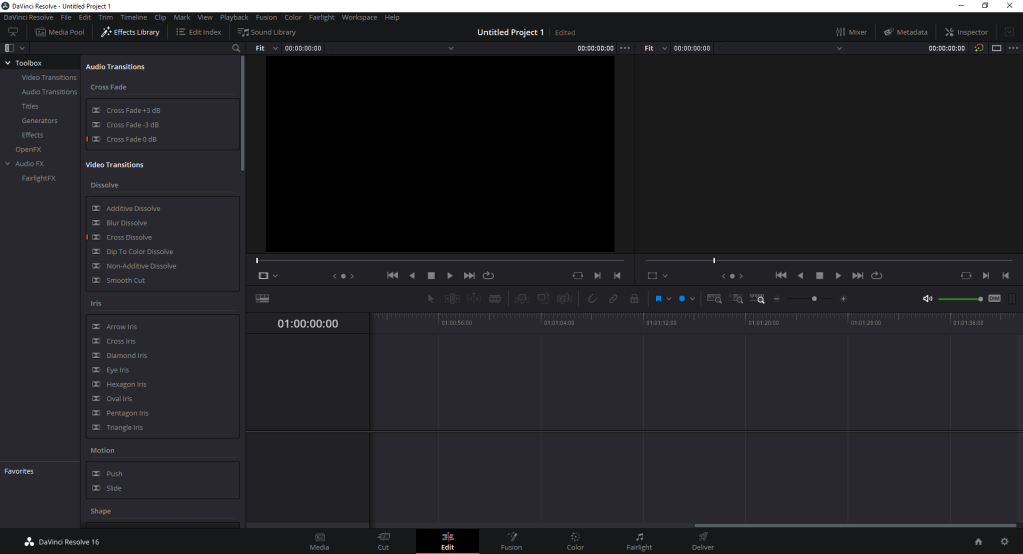
After the first week of the learning project I have found a free editing software that is easy to use and that I enjoy. This software is called DaVinci Resolve 16 and it has a multitube of features. An example of the features that it has is that the free version offers video exporting up to 4k resolution. If I wanted to get to 8k resolution, I’d have to pay for the premium version, but I won’t even be using the 4k feature of this program. The only downside to this program is that not everyone can use it. To be able to use it, you need to have a computer with a graphics card and windows 10. It is, however, available on mac and I’d be curious to know if it has any restrictions for the type of mac or version of ios.

User Interface

This week I decided that I’d familiarize myself with some of the options the software has. For example, I became familiar with the trim tool and how to trim single clips to make an entire video from one clip. This took me a while and I needed to go on Youtube to find a video that would help me. Once I figured this out, it made everything a whole lot easier. I then decided that I’d try to figure out transitions to see if I could seamlessly add transitions that weren’t too out there. This was also fairly easy because there is a tab of transitions and you can just drag and drop the transition that you’d like to use onto the end of the clip that you want it to begin at. I haven’t made a full video yet, but by next week I might have a finished product up on my blog for everyone to see. I’m very excited to see how it ends up looking. The video will probably just be a vlog of my week. I will keep looking at the features and keep you all posted.

Fundamentally Feedly

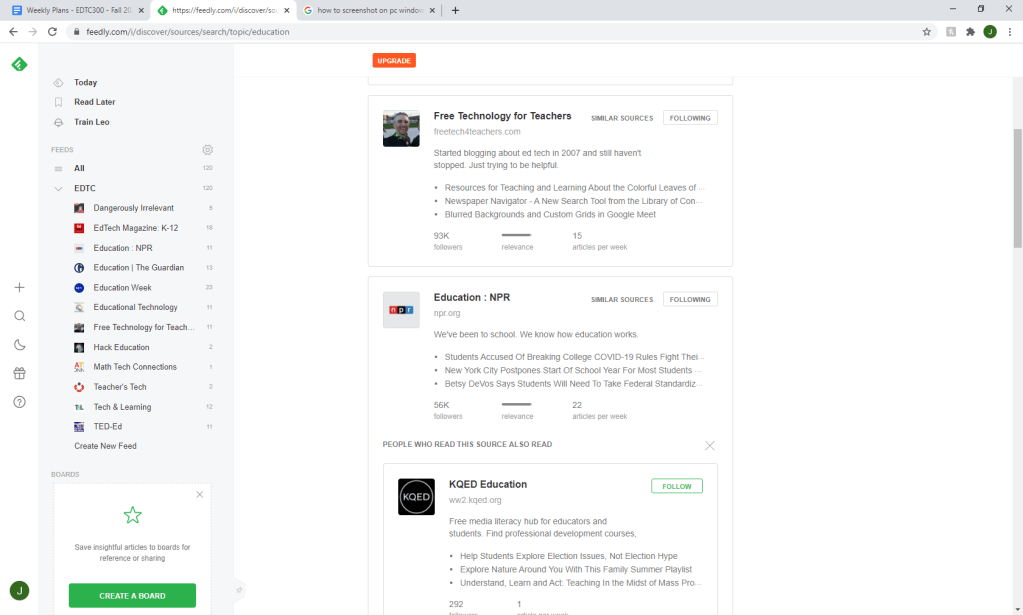
I have been asked to get an RSS reader and I have decided to go with a Feedly account. I have decided to subscribe to a lot of education technology feeds by searching for edtech in the Feedly search bar. I also decided to join some math technology pages as well because my major is math and I’d like to learn how to incorporate technology in my class. One feed that I find interesting is Math Tech Connections because they not only give articles related to math, but they also give out free activities to use for your class. This is a great resource to have especially for a new teacher because you can use their activities for your own class.

My Feedly Feed

Another feed that I found to be interesting is the TED-Ed page. I absolutely love TED and I really enjoy watching the talks because they motivate me to be better. I’m very excited to dive into the TED-Ed articles to see what they offer about education as a whole and technology in education. I think that TED Talks are a great form of technology that can be used in classrooms because they are mainly educational and provide a source of entertainment to keep children focused. I’m glad that I was told about Feedly as a resource because it will make my professional development easier due to the vast amount of articles to view.

Wannabe Youtuber

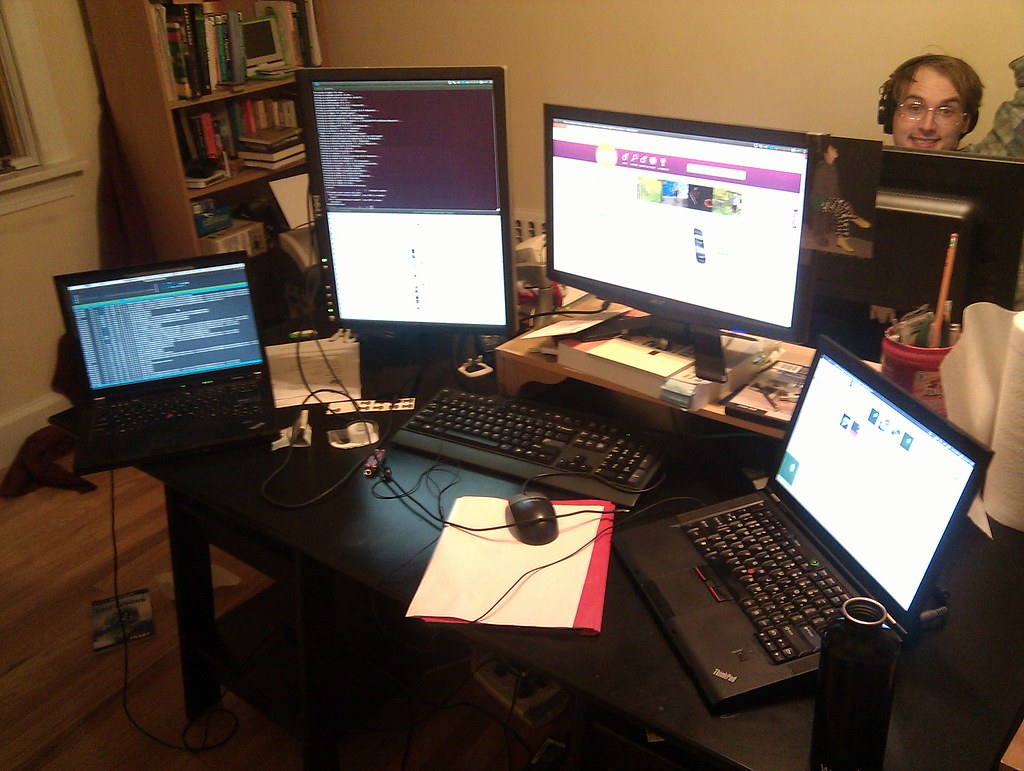
This is my setup for productivity and gaming

Welcome to my professional learning project. I’m very excited to learn a new skill that I can use all of the time. The skill that I will be learning is video editing. I’ve been wanting to learn this skill for a very long time because school always has optional videos for projects and they always seem like the most fun projects to do. The reason I have never done these assignments is because I have no idea how to properly edit videos and I’m scared to get a bad grade. I want to become comfortable with editing because it is a very useful skill to have when running a classroom. I would like to put videos up for students to use if they aren’t understanding the material so they can have extra help to succeed. I also built a computer this summer and I’d like to use it to it’s full potential by sharpening my skill in editing. My plan for this project is to focus fairly heavily on videos explaining how to do it because I work best when I can have a visual. I will also be using some articles to read about different software’s that intrigue me. My first step will be figuring out which software that I’d like to use and then watching videos to help become familiar with it. My end goal will be to create and edit a mini movie to practice my editing skills.